
Slow Mac in San Diego? What Actually Helps (and the “Cleaner” Apps That Don’t)
Type “slow Mac” into Google and you will drown in ads for cleaner apps promising to “boost” and “optimize” your machine. I have spent 30 years fixing Macs in San Diego, and I will tell you what those apps mostly optimize: their own subscription revenue. Some of the pushiest ones cause the very problems they claim to fix, and I spend real billable hours removing them.
Why Macs actually slow down
- A nearly-full drive. When free space gets tight, everything crawls. This is the most common cause I find on service calls.
- Too little memory for how you work. Sixty browser tabs and four open apps on a base-memory machine means constant juggling.
- Login items and background agents. Years of installed-and-forgotten software all launching at startup, including, ironically, cleaner apps.
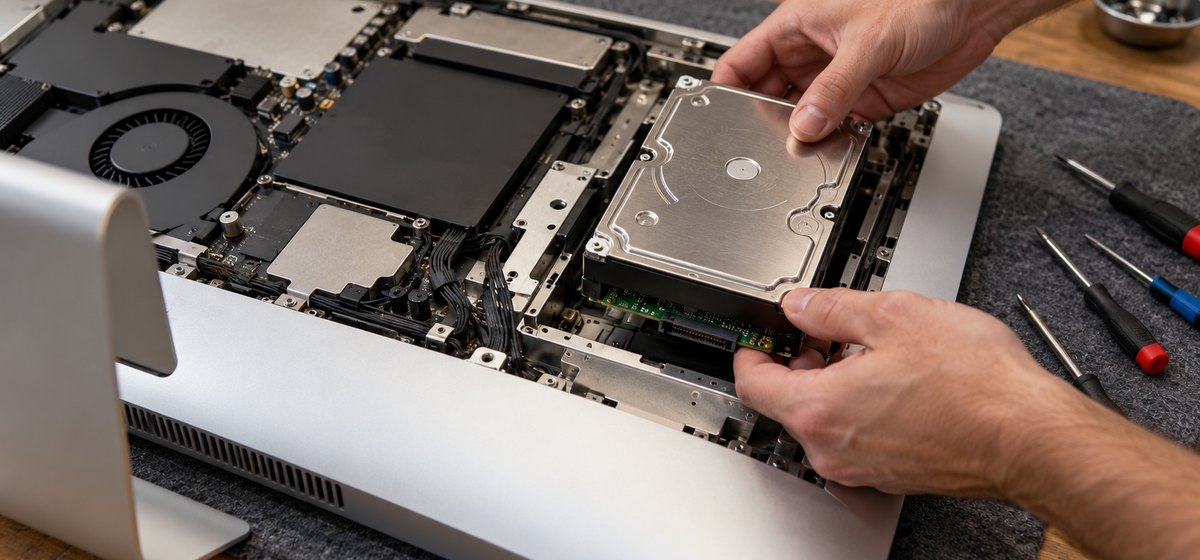
- An aging spinning hard drive in older Intel-era Macs and iMacs. Modern Macs don’t have one, but plenty of older iMacs around San Diego still do, and replacing one is the single biggest speed upgrade there is.
- A sick system, failing drive, or genuine malware. Less common, and worth ruling out properly rather than guessing.
A 30-second check you can do right now: Apple menu, then System Settings, then General, then Storage. If less than 10 percent of your drive is free, you have very likely found your answer.
What actually helps
Real fixes are boring and effective: clear real space (the huge forgotten video files, not browser caches that rebuild tomorrow), prune login items, update macOS, check the drive’s health, and be honest about whether the machine fits the workload. macOS already manages its own maintenance behind the scenes. It does not need a subscription janitor.
The tune-up visit
My maintenance visits do exactly this: a health check, a cleanup of what is genuinely slowing things down, updates, and a straight answer about whether your Mac has years left or is ready for replacement. No scare tactics, no subscriptions. Most tune-ups fit in a single visit.
Slow Mac driving you crazy? Book a tune-up or call (858) 217-4609.
You must be logged in to post a comment.