
Wifi dead zones in San Diego homes: why stucco and two-story layouts kill signal
If your wifi is fine in the kitchen and useless in the back bedroom, you are not imagining it, and you are not alone. I see the same pattern in homes from Clairemont to Carmel Valley: strong signal near the router, dead air a few walls away.
The cause is usually the house itself. San Diego construction fights wifi in a few specific ways, and once you know them the fix makes sense.
Stucco over metal lath blocks radio signal
Many San Diego homes have stucco exterior walls. Traditional stucco goes over a wire mesh called metal lath, and that mesh behaves like a screen on a window. Wifi signal passes through drywall and wood fairly well. It does not pass well through a layer of wire and cement.
The practical result is that the signal from a router inside the house stays inside, which is fine, but any outside wall between the router and the room you are using takes a big bite out of it. A patio, a detached office, or a garage workshop on the other side of a stucco wall often gets almost nothing, even though it is only 20 feet away.
Two-story homes put the router in the wrong place
In a two-story house, a router on the first floor serves the first floor well and the second floor poorly. Floors add their own interference: wood joists, ductwork, plumbing, and sometimes a layer of concrete or lightweight concrete in newer builds.
A common setup I walk into is a router sitting low in a downstairs closet, with the owner’s home office at the far end of the upstairs hall. One router in that spot cannot do both jobs, no matter how expensive the router is.
Hillside lots and long, narrow floor plans
Many homes in Point Loma, La Jolla, Mission Hills, and the canyon neighborhoods are built on slopes. You end up with split levels, a downstairs room cut into the hill, and a patio or guest house a full story away from the main living area. Dirt and retaining walls absorb signal the same way stucco does.
Older ranch homes have a different problem. A long, narrow floor plan means the router is at one end and the far bedroom is 60 feet and four walls away.
Where the ISP box sits matters more than people think
Your internet provider decides where the box goes, and the installer picks the most convenient spot for running cable. That is often a garage, a utility closet, or a corner of the living room near where the line enters the house. Convenient for the cable is almost never the best place for wifi.
Cox, AT&T, and Spectrum often supply a gateway that combines a modem and a router, and sometimes a separate modem and router instead. Those boxes are built to be cheap and simple, and their wifi coverage reflects that. Moving the box is rarely an option because the line comes in where it comes in, and an extension cable run across a stucco house is a messy job.
Why range extenders usually disappoint
The first thing most people try is a plug-in extender. I do not recommend them. An extender picks up the weak signal that already exists and repeats it, and many create a second network name you have to switch to by hand. Your phone clings to the weak connection instead of moving to the strong one. You end up with a bar or two of signal that still feels slow.
What an eero mesh system changes
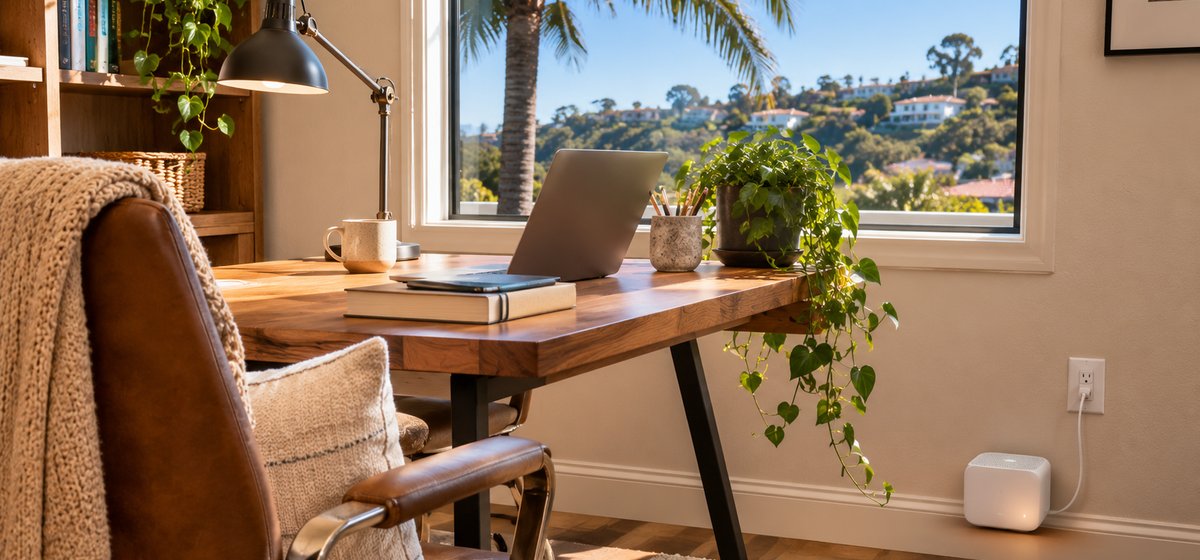
A mesh system puts several matching units around the house, and they work as one network with one name. Your phone and laptop move between units automatically as you walk through the house. Each unit sits in the room that needs coverage, so the stucco wall and the second floor matter much less.
I am a certified eero Pro installer, and the part that makes the biggest difference is placement. Before I set anything up, I walk the house, look at how it was built, and figure out where the signal drops. Then I place each unit so it can reach the next one through the fewest walls. A mesh unit needs a good connection to the next unit, so I do not drop one in the middle of the dead zone. It goes between the strong signal and the weak spot. Where wired connections are available, I use them to link units, which makes the whole system faster. I cover the full process, from the first walkthrough to the finished network, in this post on what an eero Pro install involves.
If you want to understand why a mesh beats a single router before you decide, I wrote that up too: mesh wifi explained.
What I would do in your house
If you have stucco walls, a second floor, or a lot that slopes, a single router will have a hard time covering the house wherever you put it. A properly placed mesh system usually fixes it. If you have a small one-story condo with open rooms and no outside walls in the way, you may be fine with what you have.
You can see all of this for yourself with a simple test. Carry your phone to the room that drops, open a speed test, and compare it with the result next to your router. If the far room gets a fraction of the speed, the house is the problem, not your internet plan.
My eero Pro wifi installation service covers the whole job: the walkthrough, placement, setup, and connecting your devices. If you want to talk it through first, call me at (858) 217-4609. A phone call under 10 minutes is free. You can also book a visit and I will come to your home.
You must be logged in to post a comment.