Whole-Home Wifi in San Diego: What an Eero Pro Install Really Involves
People are sometimes surprised that “wifi installer” is a real job. Can’t you just plug in a router? You can, and that’s exactly how most San Diego homes end up with a dead zone in the back bedroom and video calls that freeze when someone starts streaming. Stucco walls, tile, long ranch layouts, and canyon-lot properties are brutal on a single router. Here’s what I actually do on an Eero Pro install, and why the result comes out different.
1. The survey
I walk the property first: construction materials, where the cable modem lives, where you actually use wifi (yes, the garage, the patio, and the backyard count), and what the neighbors’ networks are doing to yours. Placement and network topology decide everything, and they get decided before anything is unboxed. This is the step every big-box “installation” skips, and it’s the one eero’s own Pro Academy training spends the most time on.
2. The right hardware for the space
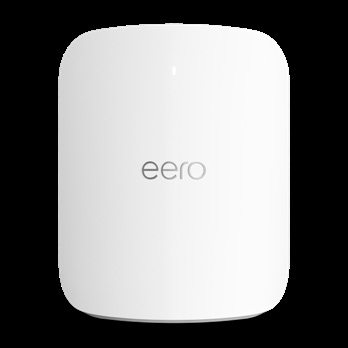
Eero isn’t one product, it’s a portfolio, and matching it to the job matters. A two-bedroom condo, a 4,000-square-foot two-story in Scripps Ranch, and a retail shop each call for different units and different counts. Current eero hardware handles Wifi 7 and multi-gig fiber, there’s an eero Outdoor 7 built for patios and backyards, and PoE-powered models that rack-mount cleanly for businesses. Part of my job as a certified installer is knowing which is which, so you buy exactly what the space needs and nothing more.
3. Wired where it counts
Mesh units talking to each other over the air works. Mesh units connected by wire, what the trade calls wired backhaul, works dramatically better, because the units spend their airtime serving your devices instead of relaying to each other. If your home has ethernet runs or even old coax, I put them to work. Designing wired backhaul correctly is its own discipline, and it’s the difference between “fine” wifi and wifi you never think about again.
4. The modem and ISP piece
Cox, Spectrum, and AT&T Fiber each have their own quirks, and an eero behind a misconfigured ISP gateway is fighting with one hand tied behind its back. Sometimes the right answer is bridge mode; sometimes it’s replacing the rented gateway entirely. I configure the handoff correctly so you’re not paying for speed you never see.
5. Tuning and the smart-home roundup
One network name for the whole property, roaming that hands your phone off seamlessly as you walk, and a proper guest network so visitors and smart devices stay in their lane. Then the roundup: every stubborn smart plug, printer, thermostat, and camera moved onto the new network before I leave. Eero even integrates with control systems like Control4 for the fancier smart homes. No mystery devices left behind, no “the printer disappeared again.”
6. After install day

This is the part no big-box installer offers: I’m a certified eero Pro installer, and I keep an eye on client networks through eero Insight, the professional monitoring dashboard, after I leave. Eero updates itself overnight with speed, stability, and security improvements, and I stay current through eero’s monthly Pro installer training. If something misbehaves, I usually know before you call.
What it costs, honestly
A wifi assessment is a site visit where I map the problem and hand you a specific proposal: which units, where they go, what gets wired, and what it costs. No obligation, and if your existing router genuinely covers your space, I’ll tell you that too.
Wifi that works in every room isn’t luck, it’s design. Read more about my Eero Pro installs or book a wifi assessment.
Product images courtesy of eero (Amazon). Featured photo: Pixabay.
You must be logged in to post a comment.